
To find a date for a group of friends, suggest a few specific times, ask everyone to select all the options they can make, then confirm one date. A time poll keeps those answers together so you can compare them without piecing together a conversation.
With VerbinderApp, you can propose times, invite friends from your contacts, review their votes and turn the chosen plan into an event.
When “we should meet up” needs a date
Someone suggests dinner. Emma can do Friday, another friend asks about Saturday, and someone else says either is fine. By the time the last person answers, you are scrolling back to remember which dates everyone meant.
A useful next step is to give the group something concrete to respond to: a few dates, a start and end time, and a clear idea of the plan.
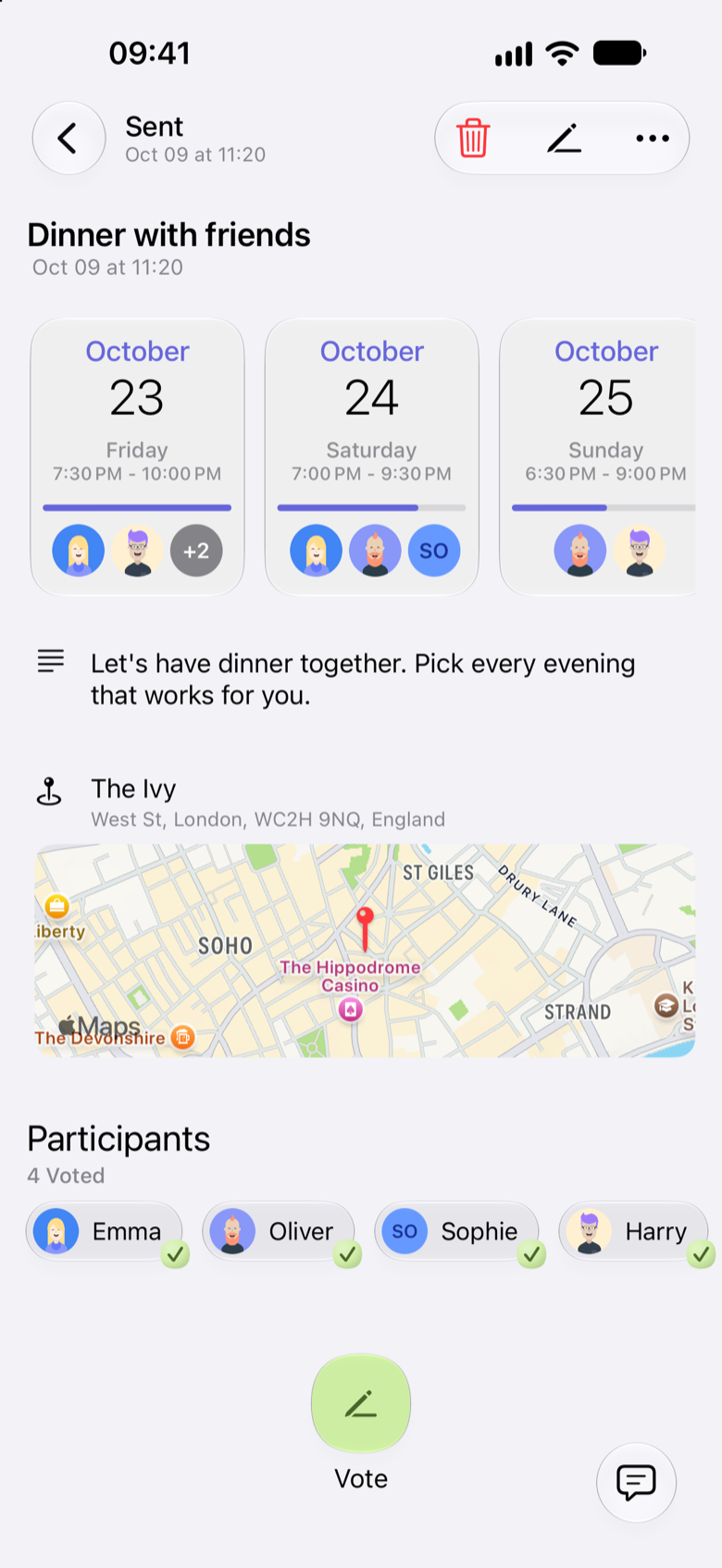
Here is an example of arranging dinner with four friends in VerbinderApp. Jack sends a poll called “Dinner with friends.” Emma, Sophie, Oliver and Harry vote.
1. Suggest a few times for the same plan
Create a time poll and add three options. In this example:
- Friday 23 October, 7:30 to 10:00 pm
- Saturday 24 October, 7:00 to 9:30 pm
- Sunday 25 October, 6:30 to 9:00 pm
Use actual dates when you create the poll, so there is no confusion about which weekend you mean. Include an end time too: being free for an hour is different from having the whole evening available.
Choose the friends you want to invite from your contacts and publish the poll. Starting with three realistic options gives people a manageable choice.
After everyone has voted, the poll keeps the three evenings and the answers in one place.
2. Ask everyone to select every time they can make
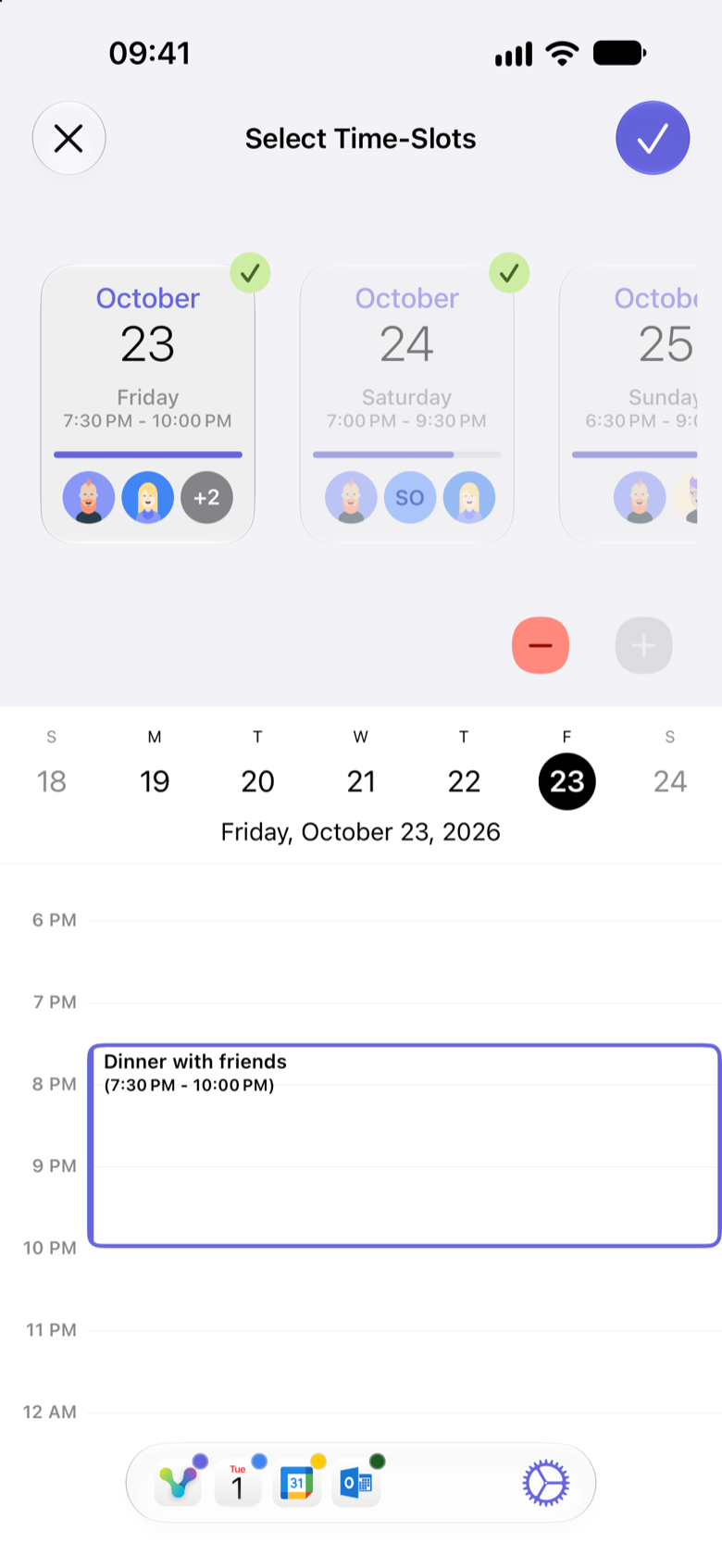
If Friday is Emma’s favourite but Saturday also works, selecting both gives the group a better chance of finding an overlap.
In VerbinderApp, participants can select more than one option. While voting, they can compare each proposed time with the calendar shown below, so they can check that evening before they respond.
You can also agree on a simple deadline in your conversation, such as “Let’s choose tomorrow evening,” so everyone knows when to reply. The poll itself does not set a voting deadline.
3. Compare the answers
Open the poll to see how the options compare and who still needs to vote.
In this dinner, Friday works for all four friends, Saturday works for three, and Sunday works for two. Friday is the clear choice.
If no option works for everyone, decide what matters for this particular plan. For a reunion, you might want to try another weekend. For a casual dinner, the group might agree to go ahead with whoever can come.
The poll makes the availability clearer. The decision still belongs to you and your friends.
4. Turn the chosen time into an event
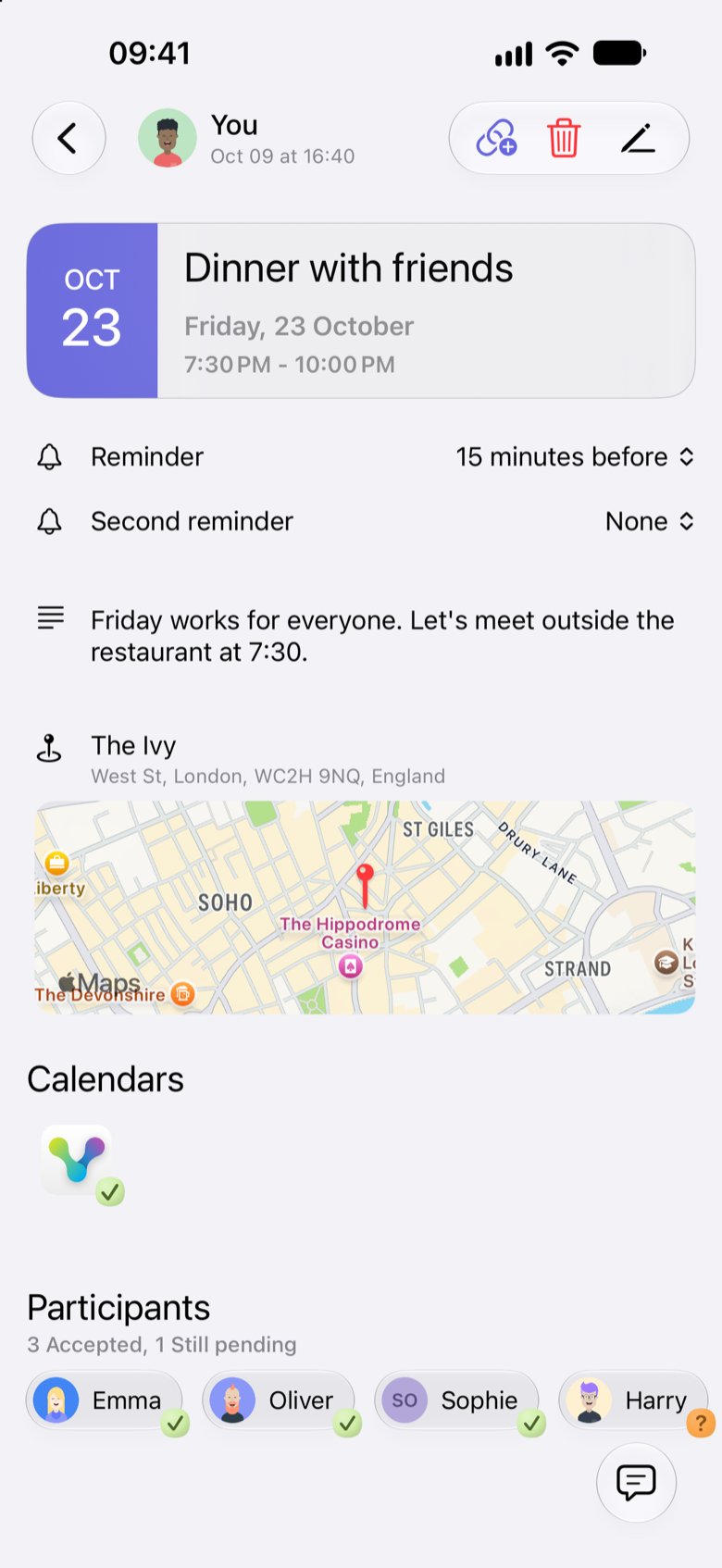
Once you have agreed on a time, open the poll, tap More, then Convert to Event. Check the final date, start and end time, participants and other details before creating the event.
Friends then respond to the final event invitation. A vote means that a proposed time works. It does not mean the person has accepted the finished plan. In this example, three friends accept the Friday dinner and Harry has not answered yet.
Questions about planning with a time poll
Can someone vote for more than one time?
Yes. Participants can select all the proposed times that work for them in VerbinderApp.
Can friends on iPhone and Android take part?
VerbinderApp provides time-poll creation and voting on both iPhone and Android. The screens differ slightly, but the process is the same: propose times, vote and review the results.
Does the poll automatically become a confirmed event?
No. The organizer converts the poll into an event after reviewing the votes. Participants respond separately to the final invitation.
What if there is no date everyone can make?
Try another set of dates, or agree as a group whether to meet with fewer people. Check with anyone whose attendance is essential before confirming.
Give your next plan a date
Have a dinner, catch-up or weekend outing in mind? Start with a few possible times and let your friends tell you which ones work.
